Tech InsighT
commonwealth.com
For Advisor Use Only
33
Before you make this shift, it’s necessary to reevaluate
how you market to and service this new demographic’s
needs and expectations.
One of the most notable differences between generations
is how they use technology. Generation Xers tend to be
much more comfortable with it than baby boomers are,
and Generation Yers, who were raised in a time when
computers and mobile devices became commonplace, are
used to instant access to any information they want to
find. As you take on younger clients, your ability to make
information more readily available will be an essential part
of effectively working with that generation.
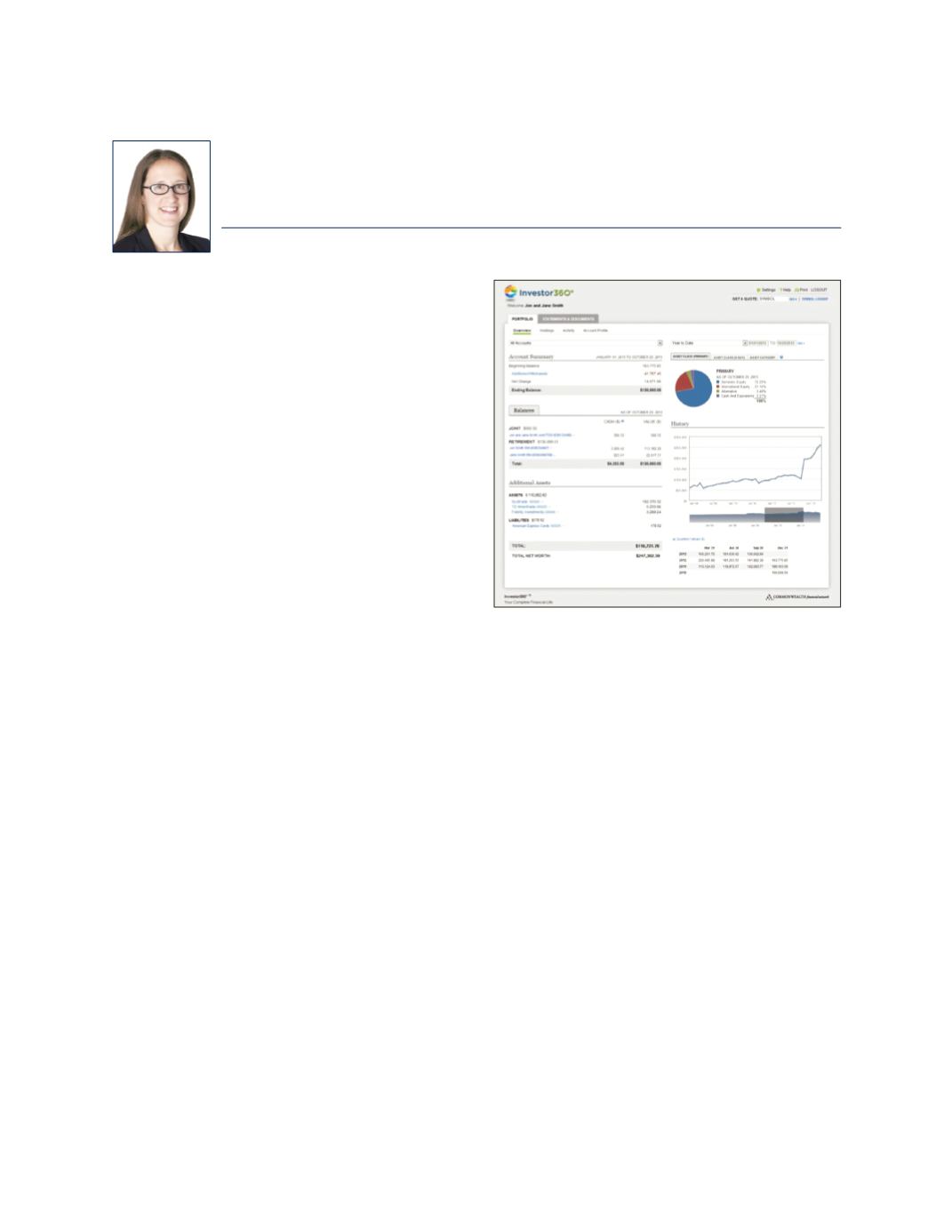
At Commonwealth, we’ve kept our eye on these trends—and
we’re continuously developing technology to help you stay
on the leading edge. In February, we released an updated
version of Investor360°,
®
which was built specifically with
both new and existing clients in mind. Our goal was to
attract more Gen X and Y clients while still accommodating
the needs of your core baby-boomer base. Let’s take a
closer look at some of these changes.
What’s New?
Updated look and feel.
We’ve incorporated bright colors
and enhanced charts into this release of Investor360° for
a vibrant, modern look and feel. We used fonts, colors,
and designs that are more common in popular websites
to attract younger clients. To accommodate older clients,
we kept the functionality changes to a minimum; as we’ve
learned from past releases, a large number of these changes
can overwhelm this group. Accordingly, we introduced new
features only where it made sense, although we still made
other changes behind the scenes that will allow us to build
and roll out new functionality more easily and seamlessly.
Customized date ranges.
As they’re accustomed to having
information at their fingertips, younger generations are
more averse to restrictions on how they can view their
account data. We added the ability for clients to use
customized date ranges when viewing portfolio data
within the Overview, Holdings, and Activity subtabs. For
convenience, we provided some preset date selections—but
clients can still input whatever date range they wish.
Investor360° also remembers the date selection as clients
navigate from page to page, making it easier to view all
types of information for that same range.
Navigational enhancements.
Of the few functionality
changes, we felt it was necessary to address some navigational
issues in this release. Clients can now access a central
Statements & Documents tab to access all documents,
including statements and confirms. This tab also allows
clients to arrange the list of documents you’ve shared with
them into organized folders.
In addition, we removed the Administration tab and
replaced it with a Settings page, located in the header,
that’s accessible from anywhere throughout the site.
This update also includes a simpler sign-up for paperless
statements and confirms—a request prevalent among
environmentally aware clients of all generations.
Finally, for tech-savvy users who use Account Aggregation
for a complete view of their financial life, we’ve added the
ability to add and edit additional assets directly from the
Retooling Investor360°® for a New Generation
JENNIFER SAWAN
As your baby-boomer clients settle into
retirement and start drawing down their
assets, it may be wise to start prospecting
for new business from younger generations.


